

Share email threads with a simple link
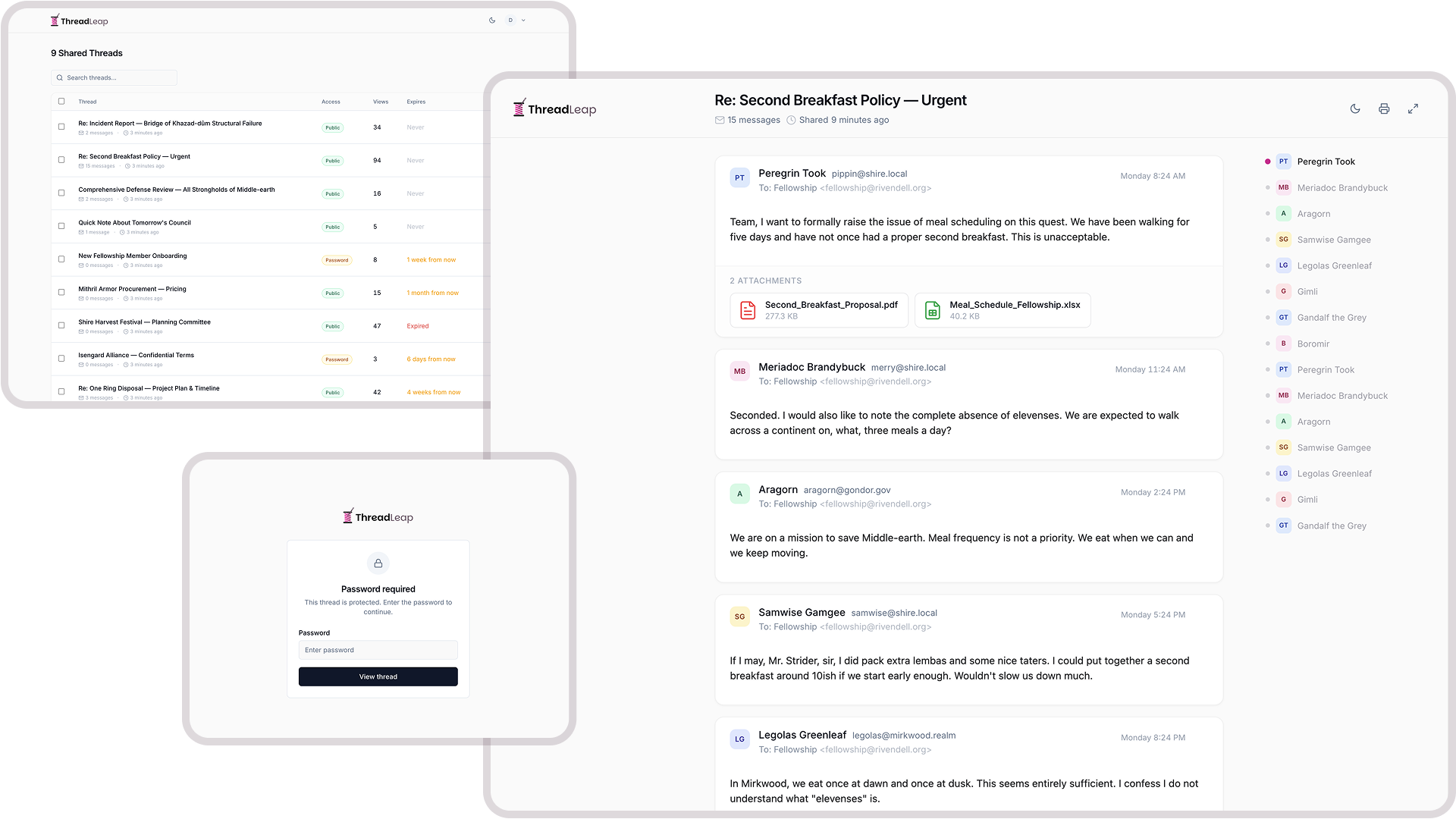
Turn any Gmail™ conversation into a clean, shareable page. Your recipients see every message, attachment, and reply. No login required.
Free to start. No credit card required.
How it works
Three steps. That's it.
Open an email
Open any email thread in Gmail™. Click the ThreadLeap icon in your sidebar.
Choose your settings
Set access controls, expiration, and password protection. Then click Share.
Send the link
Copy your unique link and share it. Anyone with the link can view the full thread. No account needed.
Features
Everything you need to share email safely
- One-click sharing
- Share directly from Gmail™'s sidebar. All messages, inline images, and file attachments captured instantly.
- Password protection
- Add a password to any shared thread. Only people with the password can view the content.
- Expiration dates
- Set threads to expire after days, weeks, or months. Links stop working automatically when time is up.
- View analytics
- Track how many times your shared thread has been viewed, when, and from where.
- Full attachments
- All file attachments from the email thread are included and downloadable by recipients.
- Custom URLs
- Create memorable links like threadleap.com/s/project-update instead of random IDs with the Business plan.
- Custom branding
- Add your logo and brand colors to shared threads for a professional, white-label experience.
- Encrypted at rest
- All email content is encrypted at rest with unique per-thread keys, protecting your data even in the event of a breach.
- Works everywhere
- Shared threads render beautifully on desktop, tablet, and mobile. Dark mode included.
Use cases
Built for people who share email
Client communication
Share email threads with stakeholders who weren't on the original chain. Give them full context without forwarding.
Account managers, consultants, agencies
Legal & compliance
Share email evidence with legal teams or compliance officers. Password-protect sensitive conversations with automatic expiration.
Legal teams, HR, compliance officers
Support escalation
Escalate customer issues by sharing the full email history with engineering or management. Everyone sees the same thread.
Support teams, engineering leads
Team handoffs
Hand off client relationships or projects with full email context. New team members get up to speed instantly.
Project managers, team leads
Pricing
Simple, transparent pricing
Start free. Upgrade when you need more.
- 10 shares per month
- 100 MB attachment storage
- 7-day or no expiration
- View count only
- Password protection
- Edit existing shares
- Custom branding
- Unlimited shares
- 1 GB attachment storage
- Flexible expiration options
- Detailed analytics
- Password protection
- Edit existing shares
- Custom branding & logo
- Everything in Pro, plus:
- Unlimited storage
- Custom share URLs
- Custom expiration dates
- Advanced analytics
- Team management
Security is not an afterthought
Your email content is sensitive. ThreadLeap encrypts everything at rest with per-thread keys, gives you full control over access, and never shares data with third parties.
Encrypted at rest
Every message, attachment, and email address is encrypted with a unique per-thread key.
You own your data
Delete a thread and it's gone. All data, attachments, and view history are permanently removed.
Minimal permissions
ThreadLeap only requests access to the email you're sharing. We never access your inbox or contacts.
Ready to share smarter?
Start sharing email threads in seconds. Free to use, no credit card needed.